Reporting a Deer Through Maine’s App
There was a time, not so long ago, when successfully bagging a deer in Maine meant an immediate shift from the thrill of the hunt to the logistical headache of finding an open registration station. You'd track your deer, drag it out, and then drive miles, often in the dark and cold, hoping a local general store or warden station was still open. That frustration, that anxious rush, is exactly what the Maine Department of Inland Fisheries and Wildlife (MDIFW) sought to alleviate with the introduction of its official Maine Hunting App, transforming how hunters report their hard-earned harvests.
The Evolution of Deer Registration in Maine
For generations, the process of registering a deer in Maine was a rite of passage almost as old as hunting itself. You'd haul your deer to a physical registration station, often a local mom-and-pop general store, a dedicated checking station, or even a game warden's residence. This wasn't just a legal requirement; it was a social event, a place to share stories, get your deer officially tagged, and sometimes even grab a coffee or a celebratory snack.
Moving Beyond Traditional Checkpoints
While those traditional checkpoints hold a lot of nostalgic charm, they also presented a host of challenges, especially as Maine's hunting landscape evolved. Imagine you're hunting deep in Aroostook County, miles from the nearest town, and you drop a big buck just as the sun dips below the horizon. Now, you've got to retrieve that deer, likely by flashlight, and then drive an hour or more to find a registration station that's still open. Many stations had limited hours, and if you harvested late on a Saturday, you might be scrambling to find an open spot before the Sunday morning rush or even waiting until Monday. This wasn't just inconvenient; it added a significant layer of stress to what should be a moment of quiet pride and accomplishment.
The sheer remoteness of much of Maine's hunting land, particularly in the vast stretches of the North Maine Woods, made physical registration a logistical nightmare for many. Hunters relying on these scattered stations often faced long queues, especially during the opening days of Maine Firearms Season Opening Day or on the always-popular Maine Resident-Only Day. And let's be honest, after a long day in the woods, the last thing you want to do is sit in traffic or wait in line when you could be back at camp, celebrating with your hunting partners or getting your deer properly processed. The old system, while familiar, was clearly showing its age in a rapidly modernizing world.
Why the Maine Hunting App Became Essential
The push for a digital solution wasn't just about hunter convenience; it was also about efficiency and accuracy for wildlife management. The MDIFW needed a way to collect real-time harvest data more effectively, especially as deer populations and hunting pressure shifted across the state. Paper tags and manual data entry at registration stations, while functional, meant delays in compiling crucial information like Maine Deer Herd Size and harvest trends by Which Maine County Kills the Most Deer.
The Maine Hunting App stepped in as a game-changer. It leverages the technology most of us already carry in our pockets, transforming a potentially arduous chore into a quick, seamless process. This digital approach means that whether you're hunting a small woodlot near Portland or deep in a remote timber cut, you have the power to register your deer right on the spot, as long as you have a cell signal. It's about empowering hunters, making compliance easier, and providing wildlife biologists with the granular, up-to-the-minute data they need to make informed management decisions.
Getting Started with the Maine Hunting App
Before you even step foot in the woods, or certainly before you pull the trigger on a deer, you'll want to have the Maine Hunting App ready to go on your smartphone. Think of it as another essential piece of gear, right alongside your license and blaze orange.
Downloading and Setting Up Your Profile
The first step, naturally, is to download the app. It's available for both Apple (iOS) and Android devices and can be found in the respective App Store or Google Play Store. Just search for "Maine Hunting" or "Maine DIFW." Once installed, you'll need to create an account if you don't already have one linked to your existing Maine hunting licenses. This usually involves providing some basic personal information, including your date of birth, and then linking your current hunting license. The app is designed to sync with your existing license profile, so all your permits, from your base hunting license to your Maine Antlerless Permit Districts or muzzleloader tags, should appear automatically.
Take your time during this setup phase. Double-check that your license details are correct. While you're in there, explore the other features the app offers. Many hunters find it incredibly useful for quickly referencing regulations or even checking their Maine Hunting Licenses and What They Cost. It’s a handy tool that, when combined with a robust mapping app like GoHunt, can really optimize your entire hunting strategy, from pre-season scouting to on-the-ground navigation. Think of it as your digital hunting companion, keeping all your essential information in one accessible place.
Navigating the Interface for Deer Reporting
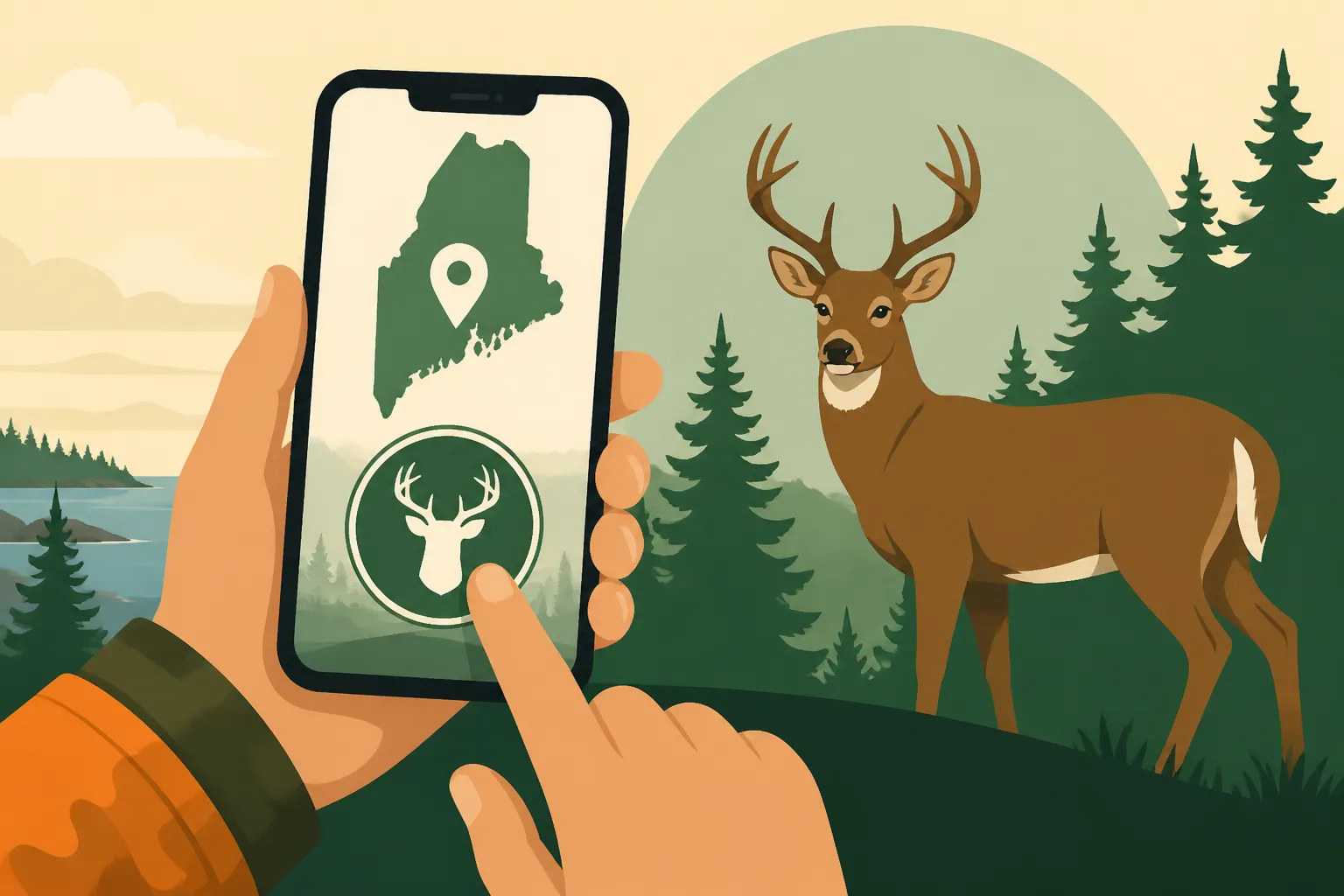
Once your profile is set up, navigating the app to report a deer is surprisingly intuitive. Most state hunting apps, including Maine's, prioritize ease of use for their most critical functions. You'll typically find a clear menu or dashboard upon opening the app. Look for a prominent button or section labeled something like "Harvest Reporting," "Register Game," or specifically "Deer Registration."
Tapping into this section will guide you through a series of prompts. The app is designed to be a step-by-step wizard, making sure you don't miss any critical information. It will likely ask you to confirm that you are indeed reporting a deer, and then begin the data entry process. The clean, uncluttered interface ensures that even if you're a bit shaky with excitement after a successful hunt, you can still easily follow along and input the required details without confusion. This streamlined design is a huge improvement over trying to decipher a paper form in low light.
Step-by-Step Deer Registration Using the App
Successfully registering your deer through the app is a straightforward process, but accuracy is absolutely key. The data you provide contributes directly to the MDIFW's understanding of deer populations and health across the state.
Inputting Harvest Details Accurately
When you select the option to report a deer, the app will prompt you for several pieces of information. This is where you need to be precise. You'll be asked for:
- Date and Time of Harvest: Be as accurate as possible.
- Wildlife Management District (WMD): This is crucial. If you're unsure of your exact WMD, many mapping apps (including features within the Maine Hunting App itself, or external ones like GoHunt) can pinpoint your location and tell you your WMD.
- Specific Location: The app will often use your phone's GPS to suggest a location. Confirm this, or manually enter details like nearest road, landmark, or GPS coordinates if needed. This is vital for biologists.
- Sex of the Deer: Buck or doe.
- Antler Points (if a buck): Count them carefully. Many areas have antler point restrictions or varying bag limits.
- Weapon Used: Bow, crossbow, rifle, shotgun, muzzleloader, etc. This helps the state track harvest methods.
- Tag Type Used: Which specific tag on your license was used (e.g., general deer tag, expanded archery tag, Maine Antlerless Permit System tag).
It's vital that you take the time to accurately input every detail. Don't rush, even if you're excited. The integrity of Maine's deer management program relies on honest and precise reporting from hunters like us. If you're harvesting a deer during a special season, like when Hunting a Muzzleloader Tag After Firearms Closes, ensure you select the correct permit from your digital license to attach to that harvest.
Attaching Your Tag and Confirmation
Once you've entered all the required data and submitted it through the app, you'll receive an immediate digital confirmation. This usually includes a confirmation number or a digital tag that serves as proof of registration. It is highly recommended that you take a screenshot of this confirmation page. This provides an instant backup in case of any app issues or if you need to quickly show proof to a game warden. Many hunters will also receive an email confirmation shortly after successful registration.
After successful digital registration, you still need to attach your physical tag to the deer, as per Maine's regulations. The app doesn't replace the physical tagging requirement; it merely streamlines the reporting aspect. Your physical tag, printed on your license, should be filled out and securely attached to the deer immediately after harvest and before transporting it. The digital confirmation and the physical tag work in tandem to ensure full compliance with Maine Deer Registration Requirements. Keep that physical tag on the deer until it's processed.
Troubleshooting Common App Issues
Let's face it, technology isn't always perfect, especially in the wild places we love to hunt. The most common issue hunters encounter with the app in Maine is a lack of cell service. If you're deep in the woods, perhaps Hunting a North Maine Woods Checkpoint Tract or another remote area without a signal, you won't be able to submit your report instantly.
In these situations, it's crucial to still fill out your physical tag and attach it to your deer immediately. Then, as soon as you get back into an area with cell service or Wi-Fi, open the app and complete the digital registration. Maine law allows a reasonable amount of time to report your deer, but you must tag it physically right away. Another tip: many advanced mapping tools, like the ones in GoHunt or even within the Maine Hunting App itself, allow you to download offline maps. This means even without service, you can still pinpoint your location and know your WMD, preparing you for when you do get signal. If you encounter persistent technical glitches with the app itself, contacting the MDIFW directly is always your best course of action. They have dedicated support for these tools.
Benefits and Best Practices for App Reporting
The Maine Hunting App is more than just a convenience; it's a vital tool that serves both the hunter and the state's wildlife management efforts. Embracing it fully means understanding its benefits and adopting best practices.
Convenience and Data Collection for Wildlife Management
The most obvious benefit to the hunter is unparalleled convenience. No more detours, no more worrying about station hours, no more waiting in line. You can literally register your deer from your hunting stand, your truck, or back at camp, often within minutes of harvest. This saves time, gas, and a good deal of stress, allowing you to focus on the enjoyment of the hunt and the subsequent care of your game. This immediate access to registration is especially helpful after a long day of Hunting Maine's Generous Fall Turkey Season or Upland Bird and Small Game Hunting in Maine when you might also be carrying a deer.
From the state's perspective, the app is a powerful data collection tool. Every deer reported through the app provides real-time information to MDIFW biologists. This data includes harvest location, date, time, sex, and antler configuration. This wealth of information allows them to monitor Maine Deer Harvest Records with unprecedented speed and accuracy. They can see trends emerging faster, understand population dynamics, and make more informed decisions about season lengths, bag limits, and Maine Antlerless Permit Districts allocations. This translates directly into better management strategies for Maine's deer herd, ensuring healthy populations for future generations of hunters.
Preparing for a Remote Harvest
Hunting in Maine often means heading into remote, wild country where cell service is a luxury, not a given. If you plan to hunt these areas, a little preparation goes a long way to ensure a smooth app-based registration. First, always carry your physical paper tag from your license and a pen. This is your backup, and it's legally required to tag the deer regardless of app usage. Second, know your WMD. Study maps before you go, or use a GPS device or a mapping app like GoHunt to identify the WMD boundaries in your hunting area. GoHunt often has layers that show WMDs and can help with Scouting With the Maine Hunting App.
Consider a hypothetical scenario: you've trekked deep into the North Maine Woods, far from any paved road, and you've successfully harvested a mature buck. You've field-dressed it, and now you're faced with the registration. You pull out your phone, and… no service. This is where your preparedness kicks in. You carefully fill out your paper tag, attach it to the deer, and then focus on the difficult task of getting your deer out. Once you reach an area with service, perhaps near one of the major logging roads, you can then complete the app registration. This dual approach ensures you're always compliant, regardless of connectivity.
Comparative Look: Traditional vs. App Registration
Let's break down the key differences between the traditional physical registration methods and the modern app-based system.
| Feature | Traditional Physical Registration | Maine Hunting App Registration |
|---|---|---|
| Convenience | Requires travel to specific stations; limited hours. | Register from anywhere with cell service; 24/7 availability. |
| Speed | Can involve waiting in lines; time-consuming. | Instant submission; takes minutes. |
| Accuracy | Manual data entry by station attendant; potential for human error. | Direct hunter input; GPS assistance for location. |
| Data Collection | Delayed aggregation of data for MDIFW. | Real-time data transmission for immediate analysis. |
| Social Aspect | Hub for community interaction, sharing stories. | Primarily transactional; less direct social interaction. |
| Accessibility | Dependent on open stations, especially in remote areas. | Dependent on cell service or later submission; accessible from pocket. |
| Backup Required | N/A, physical tag is primary. | Physical tag still required for deer; screenshot for digital backup. |
As you can see, while the traditional method offered a certain charm, the app undeniably streamlines the legal necessities of hunting in Maine.
A Seamless Experience for the Modern Hunter
The Maine Hunting App has truly revolutionized the deer registration process, making it far more convenient and efficient for hunters across the state. Gone are many of the anxieties associated with finding an open station, replaced by the simple act of pulling out your phone. This isn't just about saving you time; it's about providing the MDIFW with vital, timely data that helps ensure healthy and sustainable deer populations for years to come. Whether you're tracking a deer in fresh Tracking a Deer in Fresh Maine Snow or just enjoying the last moments of a successful hunt, knowing you can register your deer with ease adds to the overall positive experience. Just remember to always carry your physical tag and be prepared for those inevitable moments of no cell service in the vast Maine wilderness.
Disclaimer
This article is intended for informational purposes only and does not constitute legal advice. Hunting regulations, licensing requirements, and app functionality can change. Always consult the official Maine Department of Inland Fisheries and Wildlife (MDIFW) website and current regulations handbook before engaging in any hunting activities. Hunters are responsible for understanding and adhering to all applicable laws and regulations.